The ultra-lightweight CMS, built for Google and AI
Éclair is an ultra-lightweight CMS that gets your website online in 3 minutes, on any shared hosting. No database. No plugins. No maintenance. Free and open source.
Éclair by the numbers
100/100
on Lighthouse: performance, accessibility, best practices and SEO
402 KB
for the complete archive, versus about 35 MB for WordPress
0
databases to create, back up or repair
0 cookies
on the public site, so no cookie banner to display
An ultra-lightweight CMS, with no plugins to install
Éclair packs into less than 1 MB what WordPress spreads across a dozen plugins: caching, SEO, security, backups and a contact form. It’s designed for freelancers, craftspeople and small businesses who want a fast, well-ranked, hassle-free website.
Ultra-fast
Every page is served from a static cache, without loading the application: a 0.7 ms server response time, measured locally.
SEO built in
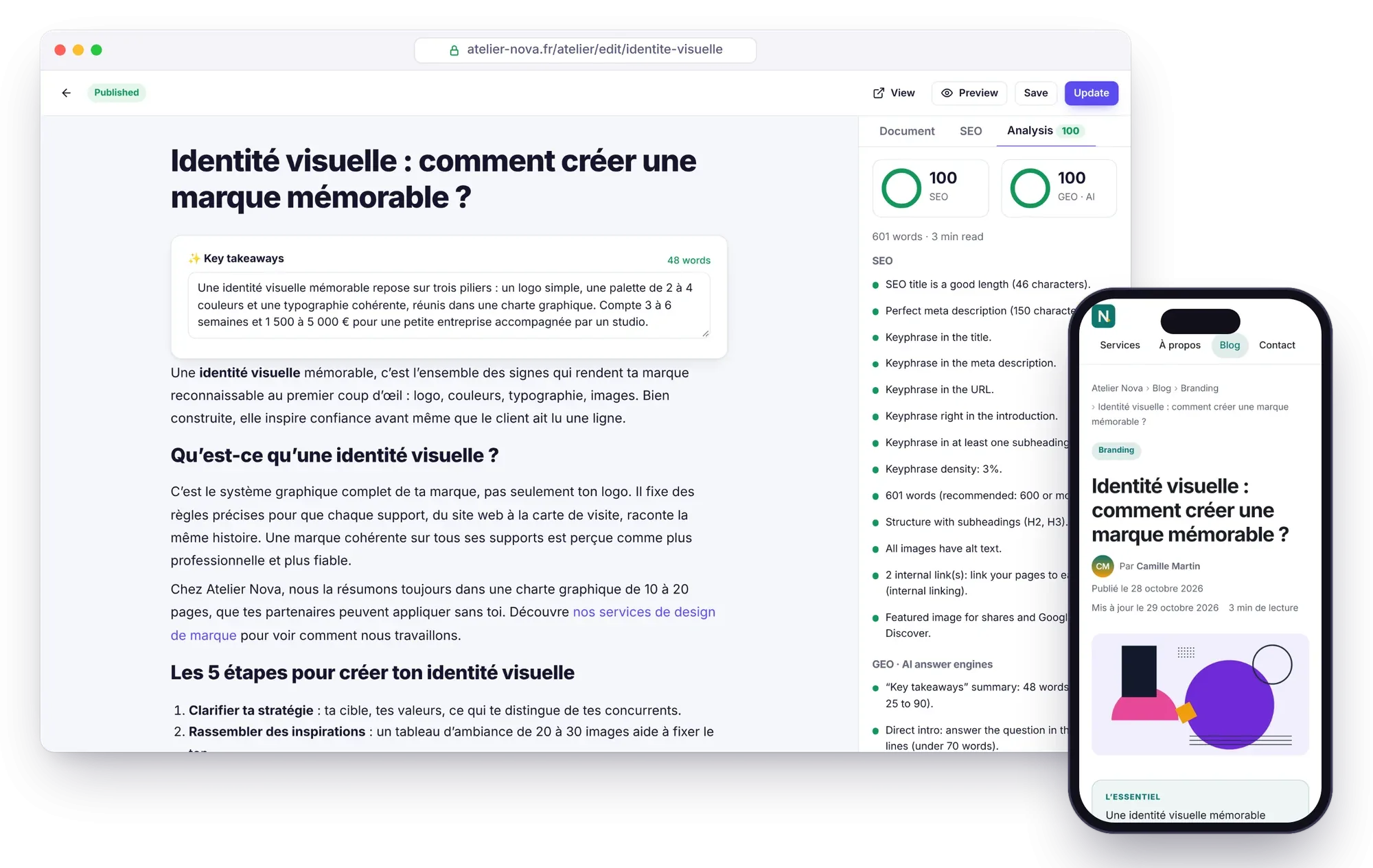
Structured data, sitemap, 301 redirects, Google preview and a live SEO score in the editor.
Ready for AI
llms.txt, a Markdown version of every page, rules for 30 AI bots and a GEO score to get cited by ChatGPT or Perplexity.
Secure by default
Two-factor authentication, brute-force protection, strict headers, sanitized content and an offensive security review.
Ultra-light
Your content lives in protected files: zero dependencies, zero database, a single 1.2 KB public script.
AI assistant
Claude or ChatGPT with your own key: drafts, images and edits in your site’s voice, never published without you.
Éclair or WordPress: which one should you choose?
WordPress can do everything, but it needs a database, plugins for SEO, security and caching, and endless updates. Éclair does less, but it does it out of the box, with nothing to install.
| Criterion | Classic WordPress | Éclair |
|---|---|---|
| Installation | Create a MySQL database, then run the wizard | Upload the folder, answer 4 questions |
| Database | MySQL or MariaDB required | None |
| Download size | About 35.5 MB | 402 KB |
| SEO, sitemap, structured data | A plugin to install and maintain | Built in |
| GEO: llms.txt, Markdown, AI bots | Plugins, rarely complete | Built in |
| Page caching | A caching plugin | Built in and automatic |
| Two-factor authentication | A plugin | Built in |
| Plugins to update | Regularly | None |
How do you install Éclair in 3 minutes?
There’s no database to create and no configuration file to fill in: just upload a folder and answer four questions.
- Download the Éclair archive (402 KB) and unzip it on your computer.
- Upload the contents of the
eclairfolder to your hosting account, via FTP or with your host’s file manager. - Open your site’s URL: the wizard asks 4 questions, then your site is live with its first pages.
Follow the step-by-step installation guide
Found on Google, cited by AI
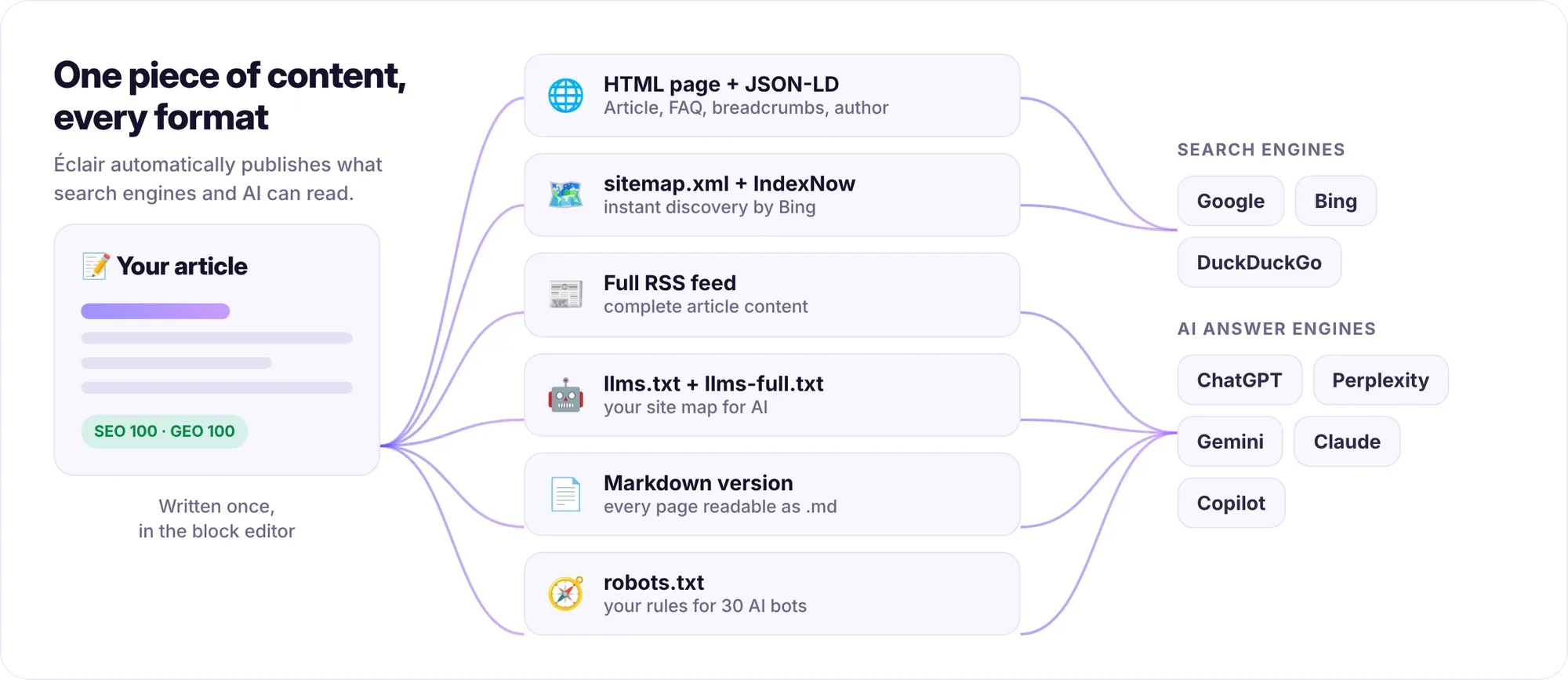
Everything you publish automatically becomes an optimized page, a sitemap entry, an RSS feed item, a line in llms.txt and a Markdown version that ChatGPT, Perplexity, Gemini or Claude can read effortlessly.
An AI assistant that writes like you
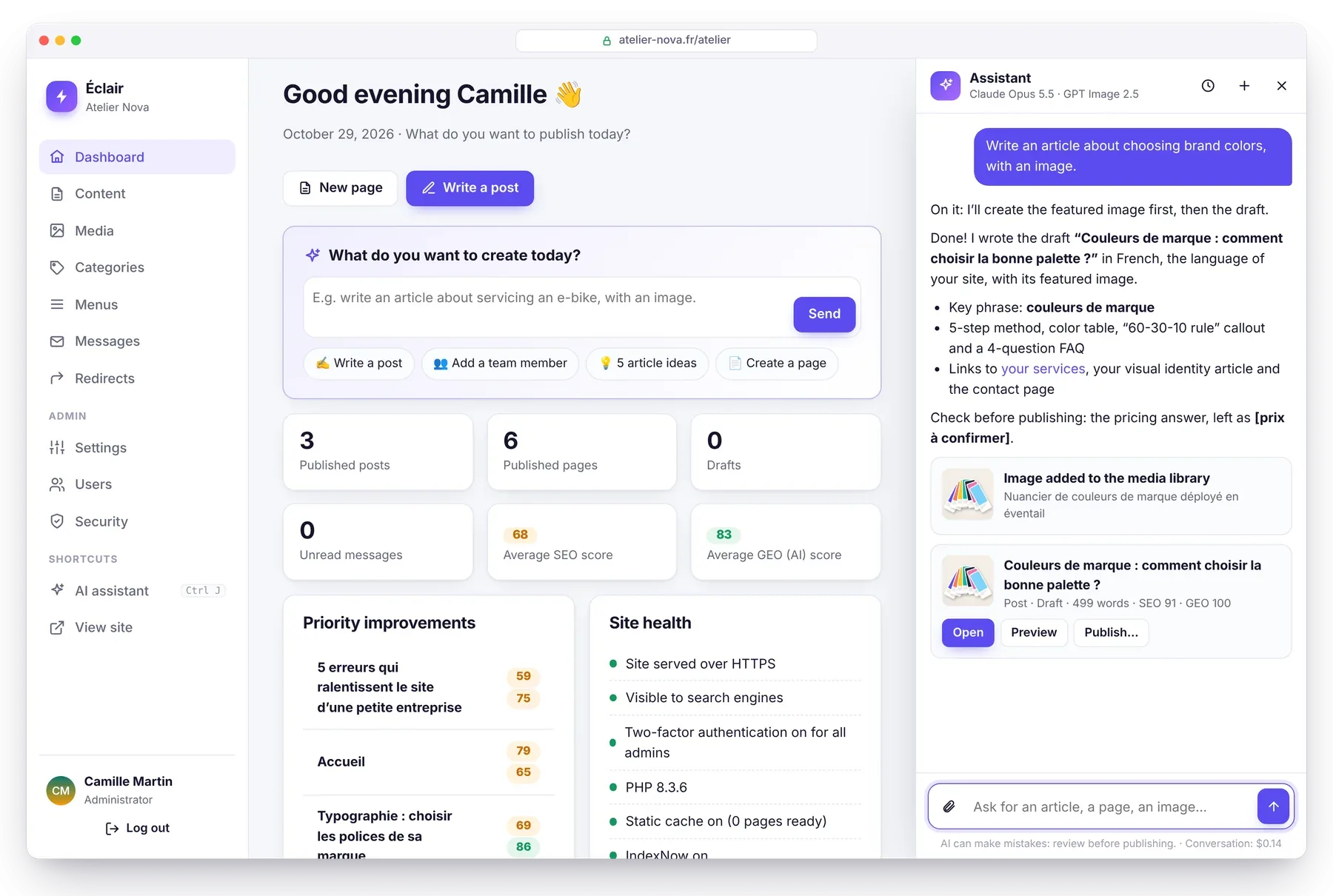
Ask “Write an article about servicing an e-bike, with an image”: the assistant checks that the topic isn’t already covered, creates the image, writes the complete draft in your site’s voice and shows it to you with its SEO and GEO scores. Nothing is published without your click.
Secure by default, with nothing to configure
Éclair is built for a hostile environment: shared hosting, with bots trying passwords around the clock.
- No database: SQL injection is impossible, and data files are doubly protected.
- Hardened login: Argon2id password hashing, brute-force protection and two-factor authentication with recovery codes.
- Locked-down public site: a strict Content-Security-Policy, allowlist-based content sanitizing and re-encoded images.
- Integrity check of every file, a security log and one-click backups.
Latest from the blog
Migrate from WordPress to Éclair: the step-by-step method
Migrate from WordPress to Éclair without losing your rankings: URL inventory, recreating pages, 301 redirects and the switchover, step by step.
GEO: how to get your site cited by ChatGPT, Perplexity and Gemini
GEO helps your site get cited by ChatGPT, Perplexity and Gemini: clear writing, structured data, llms.txt and AI bot rules. The complete method.
Flat-file CMS: benefits, limitations and who it’s for
A flat-file CMS stores your pages in files, not a database: faster, more secure and easier to back up. Its benefits, its limitations and who it’s for.
Frequently asked questions
Is Éclair really free?
Yes. Éclair is free software under the MIT license: you can use it, modify it and redistribute it, including for commercial use. Only the optional AI assistant costs anything: the price of your API key, about $0.24 per full post with Claude Opus 5.5.
What kind of hosting do I need for Éclair?
Standard shared hosting with PHP 8.1 or later (8.3 recommended) and Apache or LiteSpeed: o2switch, OVH, Hostinger, IONOS, PlanetHoster… No database is needed. See the installation guide.
Can I move my WordPress site to Éclair?
Yes, for a business website or a blog. Smart paste turns your text into clean blocks, and the redirect manager keeps your old URLs working. See the step-by-step method.
Is Éclair a good fit for an online store?
No: Éclair is designed for business websites, blogs, portfolios and sales pages. To sell online with a cart and payments, a dedicated tool is still the better choice.
Who develops Éclair?
Thierry Gustin, an SEO consultant since 2014, who designed it for freelancers and small businesses. The code is public and open to contributions on GitHub.
Ready to move at lightning speed?
Download Éclair, upload it to your hosting and answer 4 questions. Your site will be live before your coffee gets cold.