Éclair 2.3 and Eclair Export 1.1: migrating from WordPress made easy
 By Thierry Gustin
Published
4 min read
Contents
- What changes with Éclair 2.3?
- How do you migrate a WordPress site in one transfer?
- Is the link key safe?
- What does the migration carry over?
- Finish the migration with Claude or ChatGPT
- And 2.2, released the day before?
- How do you upgrade to Éclair 2.3?
- Frequently asked questions about Éclair 2.3 and Eclair Export 1.1
With Éclair 2.3 and the Eclair Export 1.1 WordPress plugin, released on November 10, 2026, leaving WordPress takes one move: a link key created in Éclair, pasted in WordPress, then a click on “Start the migration”. The site sends itself to Éclair, whatever its size.
No more downloading a package, splitting it to fit your host’s upload limit or opening an FTP client. Here is what changes, with diagrams, and how to migrate step by step.
The migration in four numbers
1
single transfer, from WordPress to Éclair
0
downloads, upload limits or FTP
2 h
validity for the key, usable only once
635
old URLs checked on a real WordPress site: 0 404 errors
What changes with Éclair 2.3?
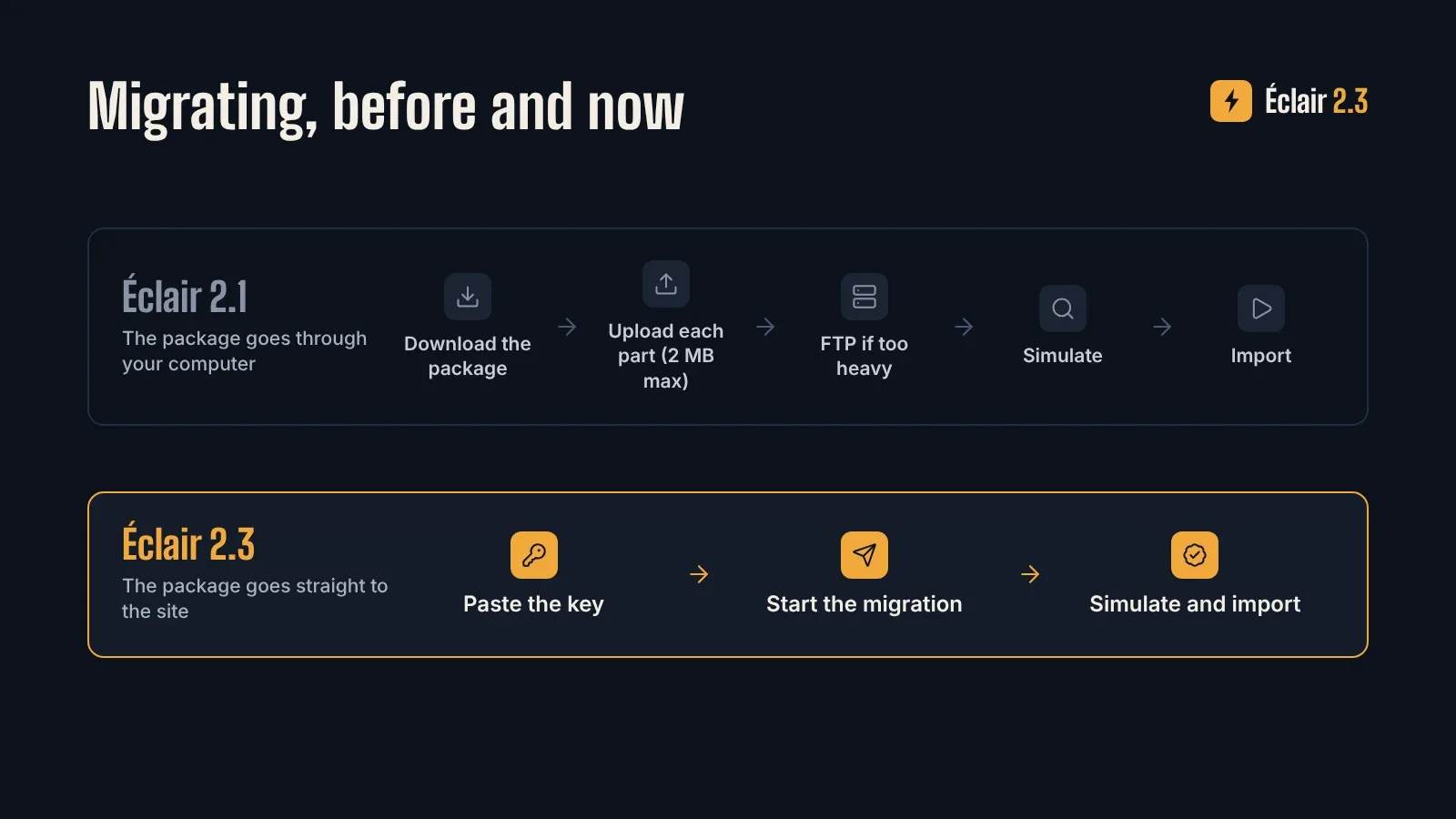
Until now, the Eclair Export package went through your computer: you downloaded it from WordPress, then uploaded each part to Éclair, 2 MB at most each, or used FTP when it was too heavy. With 2.3, the package goes straight from WordPress to Éclair, sent in pieces. A cut loses nothing: the transfer resumes where it stopped.
How do you migrate a WordPress site in one transfer?
- Update Éclair to 2.3. A site on 2.x updates in one click from Administration › Updates. Then open Features › Add and add Import WordPress.
- Install Eclair Export 1.1 in WordPress. Download eclair-export-1.1.0.zip, then go to Plugins › Add New › Upload Plugin. It needs at least WordPress 6.0 and PHP 7.4.
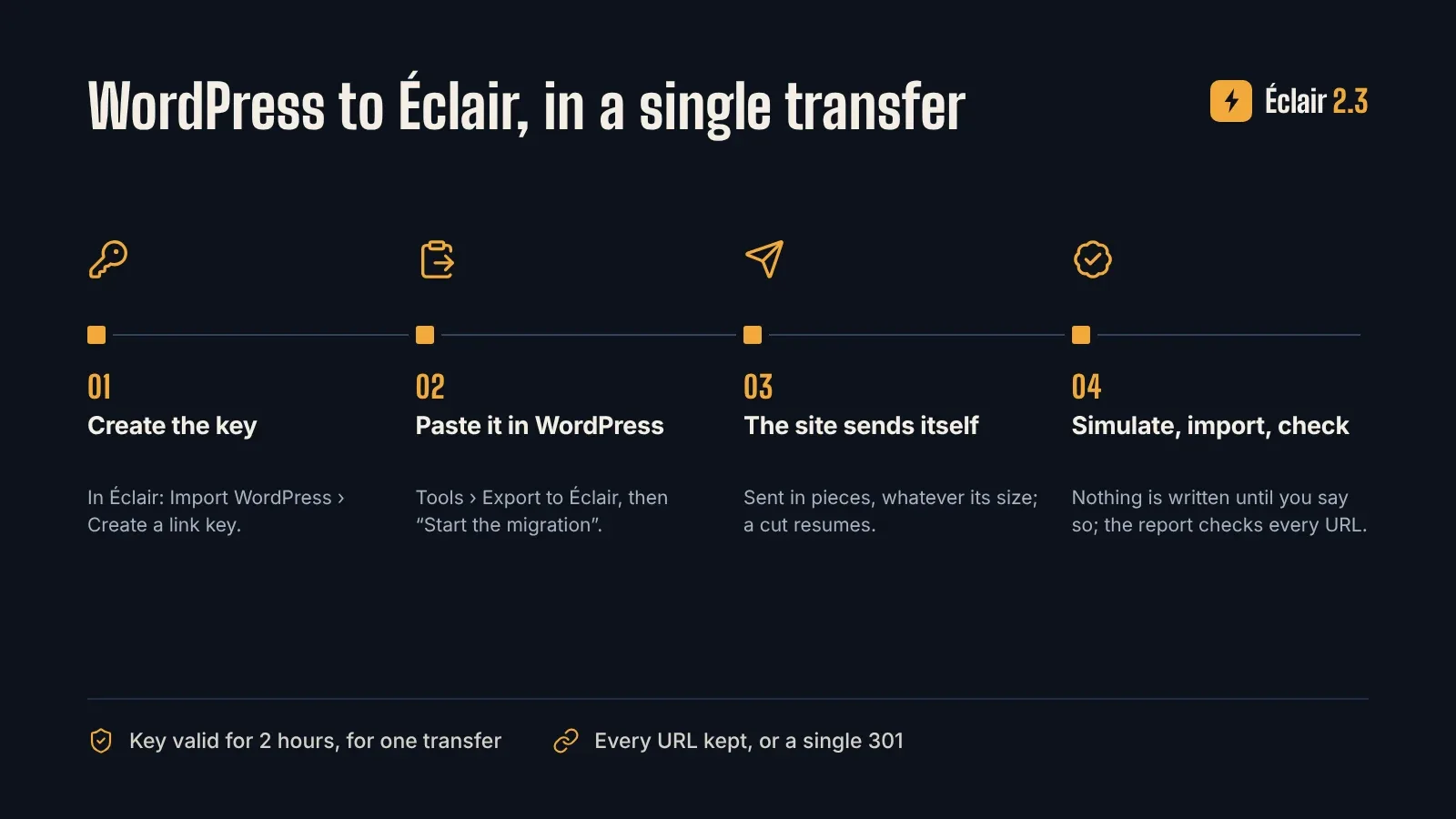
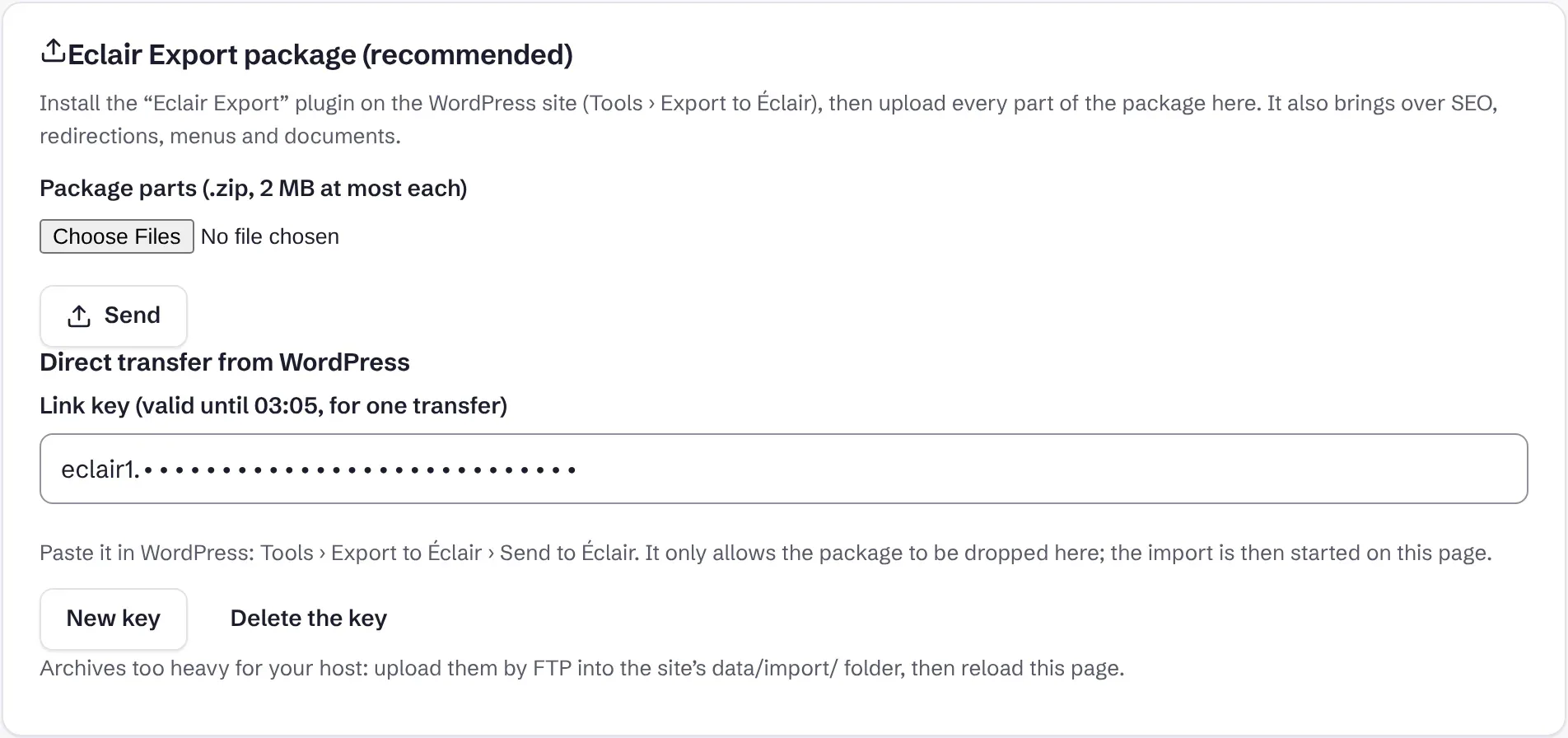
- Create the key in Éclair: Import WordPress › Create a link key, then copy it.
- Paste it in WordPress: Tools › Export to Éclair, then click Start the migration. The screen shows three steps (Diagnostic, Migration, Import in Éclair) and two progress bars: preparation, then transfer.
- Simulate, then import in Éclair. The simulation shows everything the import would do, writing nothing; the import keeps every URL or redirects it with a single 301. The details, with screenshots, are in the migration guide.
- Hand the migration report to your client: every old URL is checked in it, one by one.
Is the link key safe?
- It gives a single right: dropping the package into the private import folder. It reads nothing and imports nothing: the import is always started by a signed-in person, after the manifest and every SHA-256 fingerprint are checked.
- It lasts two hours and works only once. Éclair keeps only its fingerprint; WordPress never displays it and does not keep it after the transfer.
- Wrong keys are limited to 10 attempts in ten minutes per address, every archive is checked on arrival, and the transfer is recorded in the security log.
- The package is deleted from WordPress as soon as it has arrived. Without a key, you can still download the package as before.
What does the migration carry over?
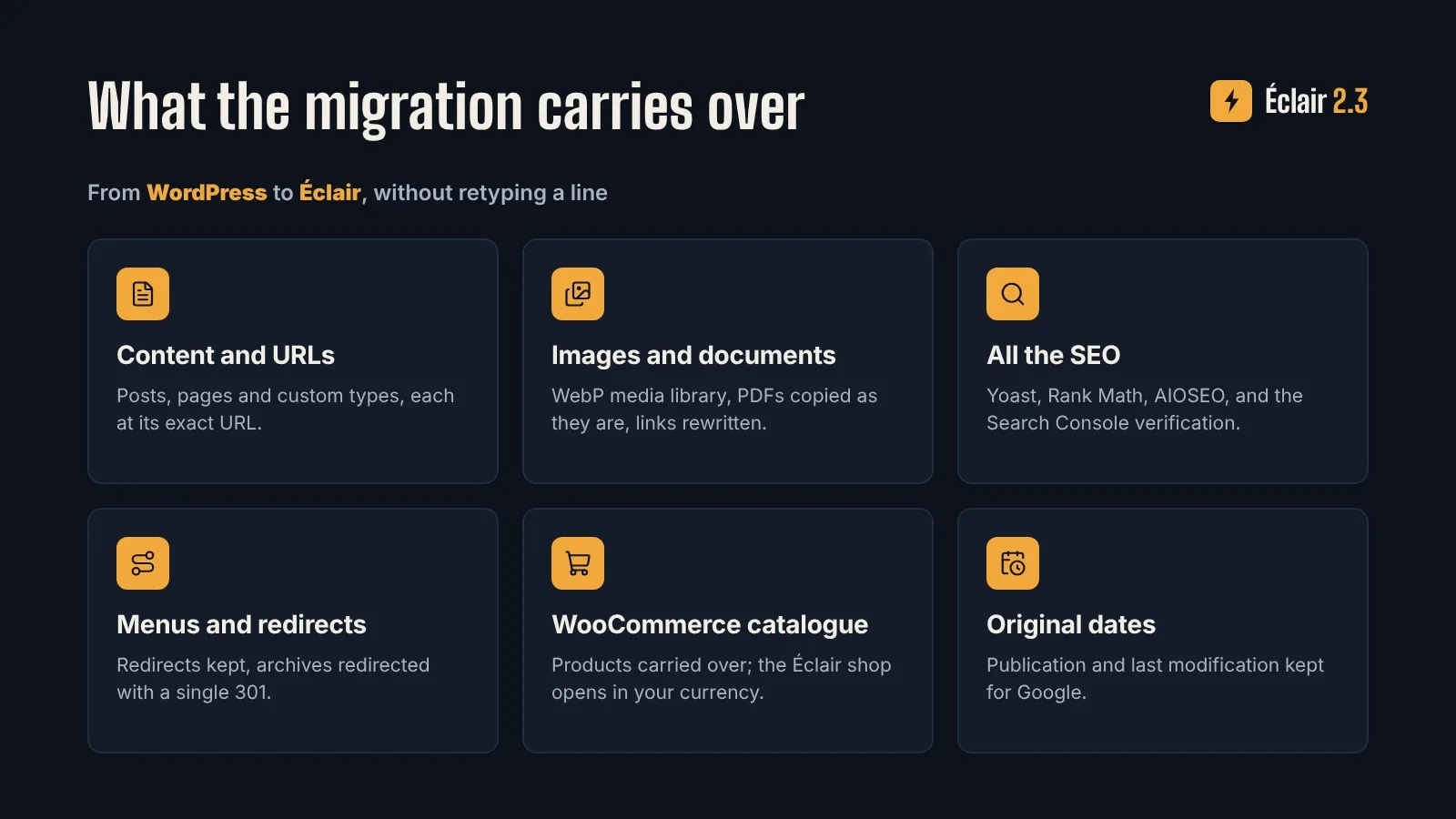
New in 2.3, the site SEO settings follow too: Google Search Console and Bing verification codes, organisation name, X account, social profiles, logo, site icon and default sharing image, from Yoast or Rank Math. The site stays verified in Search Console after the move, and nothing replaces a value already set in Éclair.
Each content also keeps its WordPress last modified date: search engines do not see the whole site as rewritten on migration day. A content without a featured image takes the sharing image chosen in the SEO plugin, so its social previews stay the same.
Finish the migration with Claude or ChatGPT
Once the package is imported, the Éclair MCP connector gives your assistant the get_migration tool: what was imported, the old URLs that no longer answer, the contents imported as drafts and what is left to finish, with the reason. Ask “finish my WordPress migration”: it proposes the corrections content by content, for you to accept. It only reads.
On the WordPress side, from WordPress 6.9, Eclair Export declares the diagnostic and the migration to the Abilities API: with the WordPress MCP adapter, an assistant can diagnose the site and start the transfer to Éclair. It is reserved for administrators, and nothing is changed on the WordPress site.
And 2.2, released the day before?
- Up to 10,000 contents per site, instead of 3,000, thanks to a light index read by public pages.
- WordPress exports (.xml) of any size: up to 10,000 contents and 512 MB per file, read as a stream.
- A more faithful import from the
.xmlexport: classic-editor paragraphs, captions, videos, galleries, and the SEO from Yoast, Rank Math, SEOPress or All in One SEO. - Faster pages for returning visitors: the “304 Not Modified” answer now works behind Nginx, Apache, LiteSpeed and Cloudflare.
How do you upgrade to Éclair 2.3?
Download a backup in Security, then open Administration › Updates: a site on 2.x moves to 2.3 in one click. All the details are in the changelog and the release notes.
Frequently asked questions about Éclair 2.3 and Eclair Export 1.1
Do I need a recent Éclair for the direct transfer?
Yes, Éclair 2.3. With an older version, Eclair Export says so clearly, and downloading the package works as before.
My host limits upload size: is that a problem?
Not any more. The package is sent in pieces straight to the site, whatever its size: no upload limit, no FTP.
What if the connection drops during the transfer?
The transfer resumes where it stopped, and every archive is checked by its fingerprint on arrival.
Does my site stay verified in Google Search Console?
Yes. The Search Console and Bing verification codes set in Yoast or Rank Math are carried over: the property stays verified after the move.
Is Eclair Export free?
Yes, like Éclair. The plugin is published under the GPL-3.0 licence on GitHub.
Read next
Migrate from WordPress to Éclair CMS without losing a URL
Migrate from WordPress to Éclair CMS with Eclair Export: content, images, SEO, menus and redirects carried over, a dry run, then a report for your client.
Create a website from A to Z with the Éclair CMS AI Agent
The complete guide to building a pro website with the Éclair CMS AI Agent: each step, the frictions removed, the screenshots and the download link.
The Éclair 2.0 core and its 57 skills: features on demand
Why Éclair 2.0 keeps a lightweight core and hands the rest to 57 skills: benefits, foundations, what already works, limits and how to write your own skills.